A little scan.
Find a FableBack label? Scan its QR code with your phone camera. No app needed.
 Found something?
Storybook labels that help lost belongings find their way back. A name, a QR code, and a little kindness.
Discover FableBack
The jumper left on the oval. The bag that took a detour.
A small label gives a helpful stranger a simple way to bring them back.
Find a FableBack label? Scan its QR code with your phone camera. No app needed.
Tell the family where you’ve left the item. Add a note or choose to share your current location.
Press Notify parent. The family receives an email with the details they need to collect it.
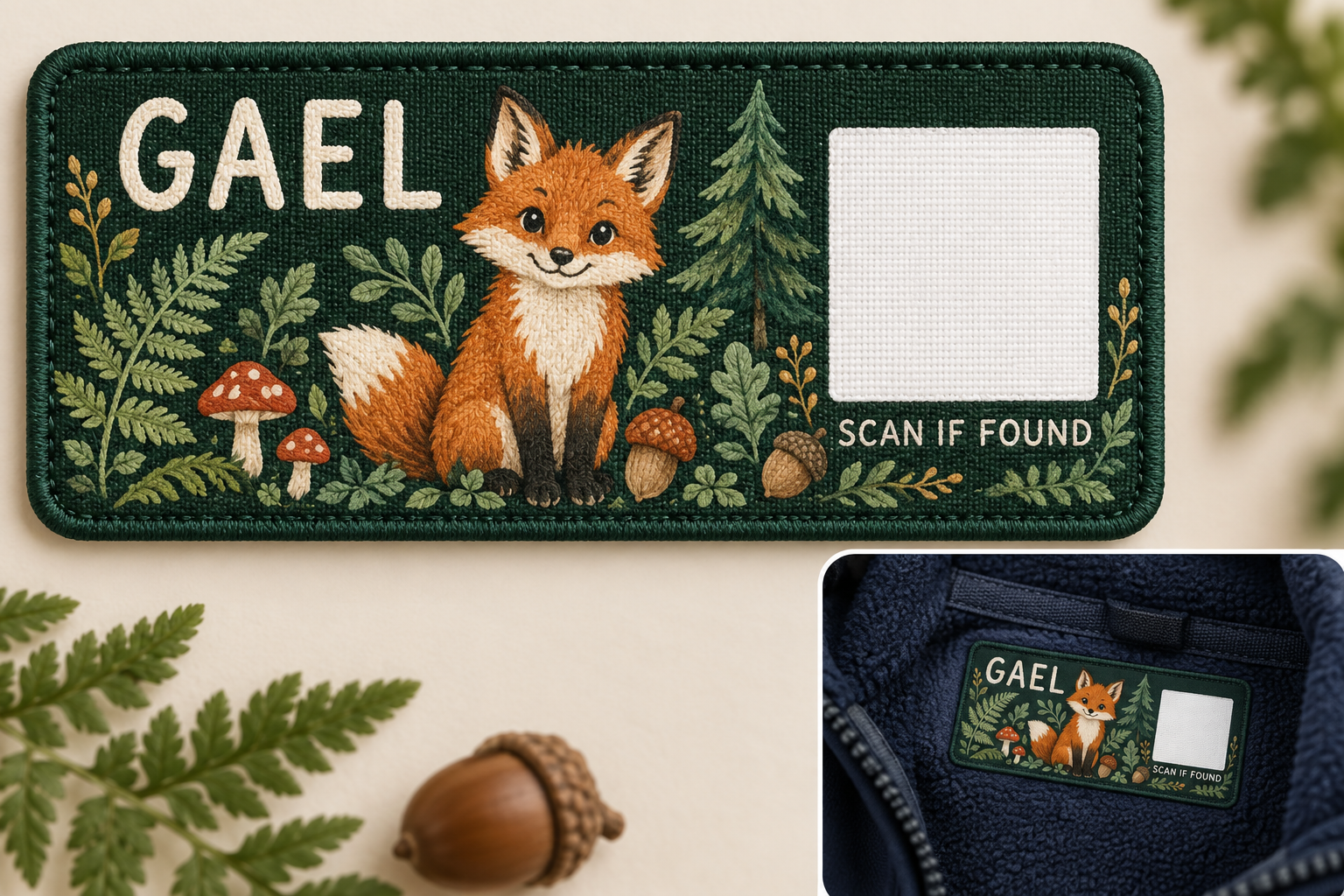 From the sketchbook · Original Forest concept
A name they recognise. A character they love. A way home tucked into the things they take everywhere.
Our label concept brings illustration and a scannable QR together, with family contact details kept off the label.
Meet the Forest Collection Designs in development. Print and material testing are part of our family pilot.The Forest Collection begins with four stories.
One simple idea connects them all.
A little woodland companion for big days of exploring. The Fox is where our Forest Collection began.
Collection conceptYou don’t need to know the family. You just need to tell them where their belonging is waiting.
Try the example here. It won’t send a real message.
A finder can notify the family without seeing their email address or phone number.
Type a collection place, or choose to share a one-time location. There’s no continuous tracking.
A scan opens the page. An alert only happens when someone chooses to send it.
FableBack began with a familiar family problem: the school clothes that go missing, and the name label that can only do so much.
We wanted to give that label a next step. A simple connection between the person who finds something and the family waiting for it.
Our stories give the labels their character. The kindness of the person who finds them gives those stories a happy ending.
A small beginning. An idea to grow with.FableBack pairs a personalised, illustrated label with a QR code. When someone finds a labelled belonging, they can tell the family where to collect it through a simple web page.
No. A finder scans the QR code with their phone camera and opens the web page. They enter a collection place and press Notify parent.
No. Scanning opens the finder page. The finder must enter a place and explicitly press Notify parent before an email is sent.
The parent’s email address and phone number are not shown on the finder page. The notification is sent privately by FableBack.
No. FableBack is not a GPS tracker. A finder can choose to share their current location once, with their browser’s permission, or simply type a collection place.
We’re testing FableBack with a family pilot in Australia. Label materials, print quality and everyday durability are still being tested. Orders and wider family registration are not open yet.
Scan the QR code on the item’s label to open its own finder page. Tell the family where they can collect it, then press Notify parent.
If the code won’t scan, leave the item at school reception or the venue’s lost property desk.
See how the finder page works